Go straight to the page that needs you.
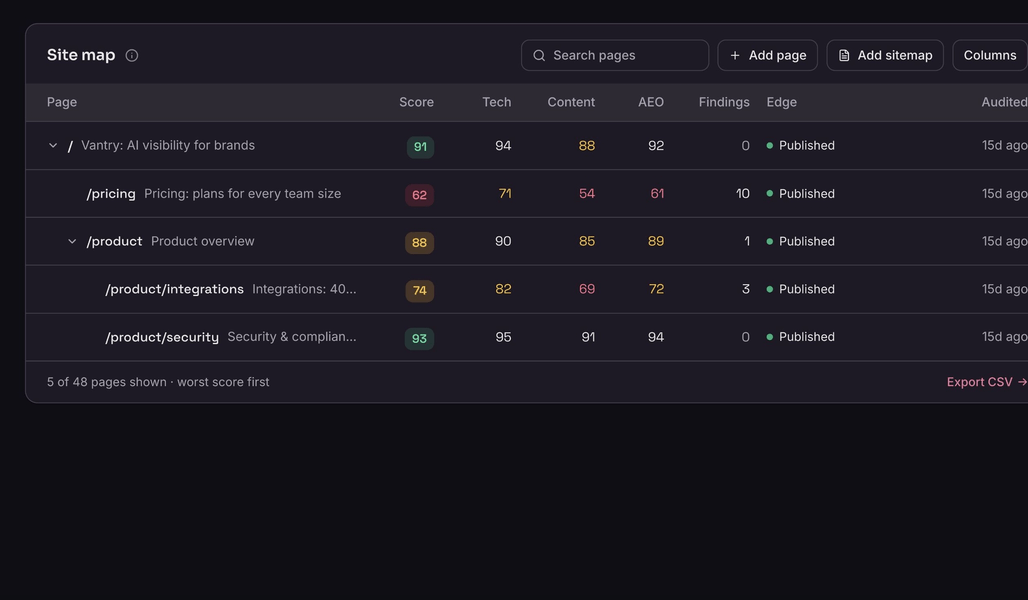
See which pages are ready, held, not yet audited, or excluded. Open one for its latest source check and saved AI-ready version.
- Status for every page
- Latest source check
- Earlier results
Open a page and you can see why it passed, what stopped it, and what Ooky can publish. Its failed check, public source, and earlier results stay together.
A page can pass crawl, content, and AI-answer checks but still fail release. You can open it to see the failed check and its source.
For each page, you can compare the public source, the AI-ready version, and what your delivery method can serve.
See which pages are ready, held, not yet audited, or excluded. Open one for its latest source check and saved AI-ready version.
You get technical, content, and AI-answer checks for every page Ooky can measure. If a check cannot run, you see why and it stays out of the score.
Compare the live page with the AI-ready text Ooky prepared. You can inspect its structured data, issues, exact file size, and estimated token count.
You can review a page's content match, release decision, and earlier results together. Ooky holds a failed version unless an authorized person accepts that exact version as a labeled exception.
You can see whether each AI-ready page matches its visible source. A second overlap check helps flag empty or unrelated output, and a missing source capture stays unverified with the reason attached.
Your accepted exceptions remain labeled and auditable. Your integration determines fallback behavior. A passing source check does not prove indexing, citations, or later model answers.
Your AI-ready page must reach this content match with its captured visible source.
This separate check helps catch empty output or content compiled from an unrelated page.
You see technical, content, and AI-answer scores, plus every exclusion.
You see published, not published, not audited, and excluded pages separately.
Open a page to review its latest source check and previous release results.
How scores, source checks, exceptions, and page audits work.
Site Health checks technical setup, content quality, and readiness for AI answers. You can see which pages were checked, what needs attention, and what Ooky published. Open a page to inspect its saved AI-ready text and measurements. Review shared public brand facts in Brand Intelligence.
You get technical, content, and AI-readiness scores. When all three can be measured, the overall score gives them 30%, 35%, and 35%. Unavailable checks stay out of your score with an explanation. If a whole group is unavailable, Ooky recalculates from the groups it could measure.
At least 95% of the distinct normalized content tokens in your AI-ready page must also appear in its captured visible page. Menus, footers, repeated layout copy, and common stop words do not drive the check. A separate 10% Jaccard sanity floor helps catch empty content or content built from the wrong page.
You see the problem and Ooky holds that page's AI-ready version by default. An authorized reviewer can approve that exact version as a labeled, audited exception. Otherwise, fallback behavior depends on the selected integration.
You get exact file sizes for the two versions shown and a clearly labeled text-length estimate. Your results may vary across pages.
Yes. Open any page to see its checks, visit the live page, review its measurements and AI-ready text, inspect the content match, and choose the next action. You can also add one page or a sitemap before the next crawl.